
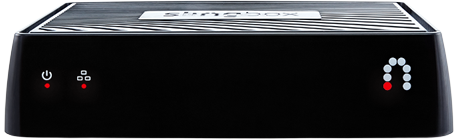
Sling Media today announced the availability of the Slingbox M1, a fully re-designed, award-winning Slingbox featuring WiFi connectivity, capable of delivering HD-quality video to the most popular mobile devices in the United Kingdom and Europe.
Slingbox solutions allow consumers to watch home TV content on Internet-connected smartphones, tablets, PCs/Macs or other TVs―virtually anywhere in the world. They have always been popular with consumers who are frequent travellers (domestically or internationally) and with those who want live access to local sport and news events while away from home.
With a UK manufacturer’s suggested retail price (MSRP) of £129, the Slingbox M1 is the most advanced Slingbox model the company has ever introduced. Since its release in the United States last year, Slingbox M1 has earned enviable reviewer feedback.
“Given its strong reception in the United States, we are excited to introduce the Slingbox M1 into the European market,” says Michael Hawkey, senior VP and general manager of Sling Media. “The Slingbox M1 sets a new standard for ease of set-up and use, while delivering incredible value for the pay-TV satellite subscribers that we have always targeted with our products and services. With a Slingbox M1 that has been completely localised for customers, we’re delivering the most affordable Slingbox packed with the most robust set of features that we believe will significantly expand the mobile TV and video market.”
Slingbox M1 features include:
- Dual-band 2.4/5Ghz WiFi connectivity and Ethernet port
- Quick and easy set-up and playback via PC/Mac desktop apps as well as iPhone, iPad and Android phone apps
- Absolutely no monthly fees
- Watch and control live TV on a tablet*, smartphone*, PC or Mac
- Play and schedule PVR recordings
- Watch on a second TV anywhere via Apple TV®, Amazon Fire TV Stick®, Google Chromecast® or Roku®*
- Component and composite input/output
- International power supply, which supports 230/110V and has changeable pins to support both UK and European plugs
The hallmark of all Slingbox solutions is that they are the only genuine “TV Anywhere” solutions that are not limited by geo-blocking (inability to access content outside of the country where the Slingbox is being used) and can access 100% of a cable or satellite channel subscription.
Last year, Sling Media updated its Slingplayer apps for iPhone, Android phone and iPad to bring a consistent look across all mobile platforms. In addition to now featuring Slingbox setup through the mobile app itself, the new app will also deliver full hand-off between Slingplayer apps and Roku, Google Chromecast, Amazon Fire TV Stick and Apple TV devices, allowing customers to continue watching video on their connected devices even after exiting the Slingplayer app, freeing the mobile device to perform other tasks.
Slingbox M1 is available today at leading United Kingdom retailers such as PC World, Currys, Amazon.co.uk and Maplin or through European distributors such as Turbosat International Limited, TechData and EET Group.
Sling Media launches award-winning Slingbox M1 in the UK and Europe
0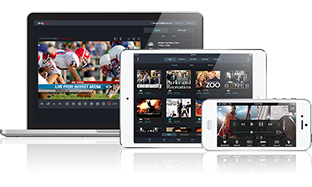
Share.